Lists files (by default in alphabetical order)
Flags
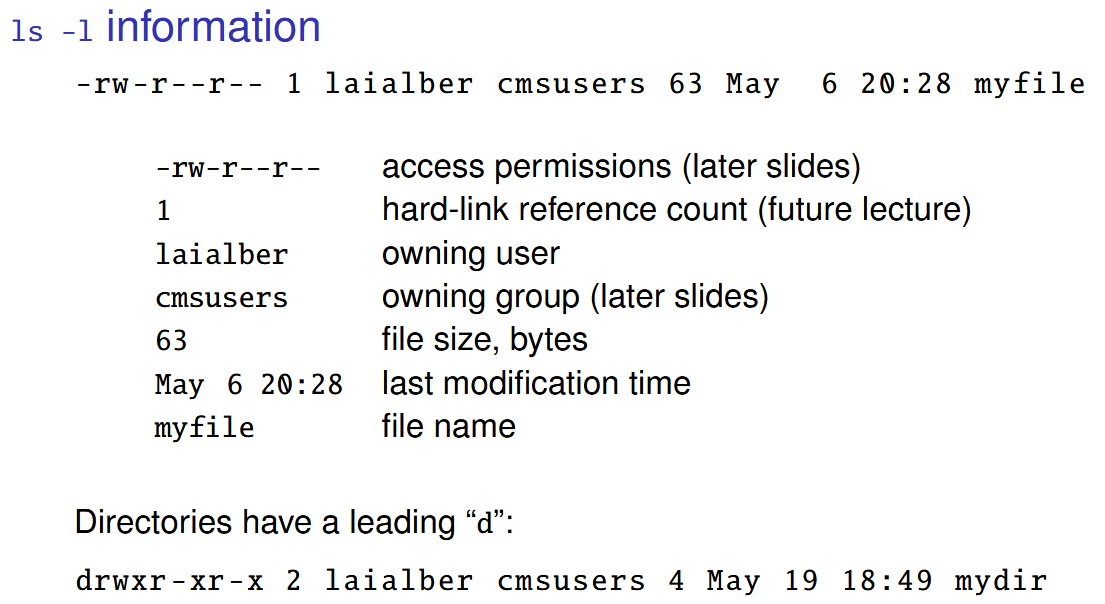
-l “long listing format” prints a BUNCH more info than just the files
-d prints directories themselves (not files inside)
-t prints in order of modification time new to old
-r reverses the order
-R recurses into subdirectories therefore printing the whole tree
-a includes filenames starting with . (aka Dot files)
- It would be annoying to print dot files containing user settings and whatnot all the time, so that’s why this flag exists
-Ais like-abut excludes.and.. - It excludes the parent directory and the directory itself