16.3
”SSH uses an encrypted tunnel!”
Old forms of communication used cleartext
- That makes the communications not encrypted and anyone intercepting the data can read it!
- So they were not secure AT ALL!
SSH consists of two parts:
- SSH server runs on the remote host (So a Linux server = remote host),
- By default, it listens for connections on
port 22
- By default, it listens for connections on
- An SSH client is used on a local system to communicate with the remote server.
Linux uses an implementation, OpenSSH (from the OpenBSD project)
The program that connects to remote SSH servers is ssh
Let's connect to a remote host whose name is
remote-sys
ssh remote-sys
It might output something like this:
The authenticity of host ‘remote-sys (192.168.1.4)’ can’t be established. RSA key fingerprint is 41:ed:7a:df:23:19:bf:3c:a5:17:bc:61:b3:7f:d9:bb. Are you sure you want to continue connecting (yes/no)?
This happens the first time the connection is attempted. The client program has never seen this remote host before and so tries to figure out its authenticity! (You determine that via your input: yes.)
Then you’d be prompted for a password so you plug that in: the remote shell session continues until the user enters exit
Times when the remote host does not successfully authenticate
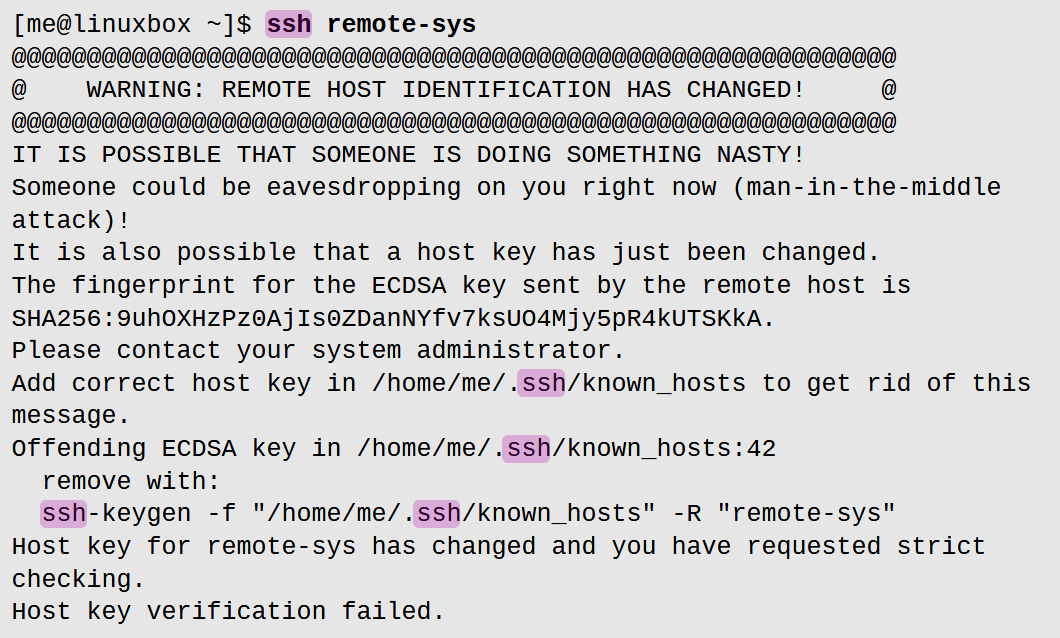 This can happen if
- An attacker is tryna use the
man-in-the-middleattack (but this is rare, sinceSSHcan detect that sorta thing) - The remote system has been changed somehow
- ”The SSH server’s OS might have been swapped out” kinda thing
- In that case, just ask the admin of the server, and if all is good, you can fix the problem by doing exactly what the error message says! I.e. type
ssh-keygen -f "/home/me/.ssh/known_hosts" -R "remote-sys"
scp and sftp
scp = secure copy
Running scp remote-sys:file-directory name-of-file will copy one file into your computer!
However sftp is far more advanced. It lets you do things like get file-name-you-wanna-download and also include flags like -R to download a whole folder! All encrypted btw (unlike ftp)